
1. Access Your Server Dashboard
Open your Server Dashboard.
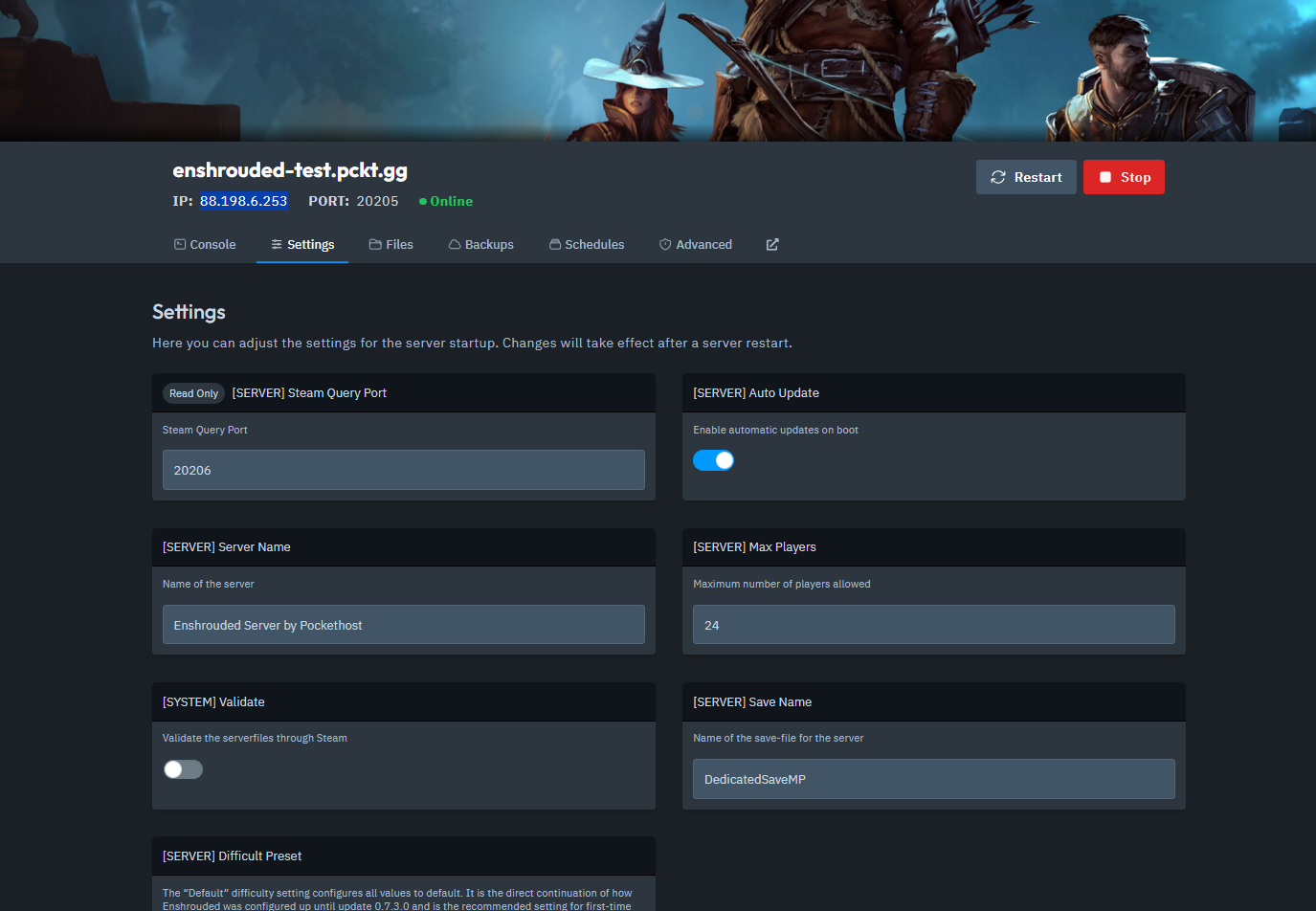
Navigate to the Settings tab.
2. Copy Your Server IP and Steam Query Port
In the Settings tab, locate and copy your Server IP and Steam Query Port.
3. Launch Enshrouded and Access the Join Menu
Start Enshrouded.
Click on Play, then select Join to enter the online game menu.
4. Use the Find Server (IPv4 Address) Option
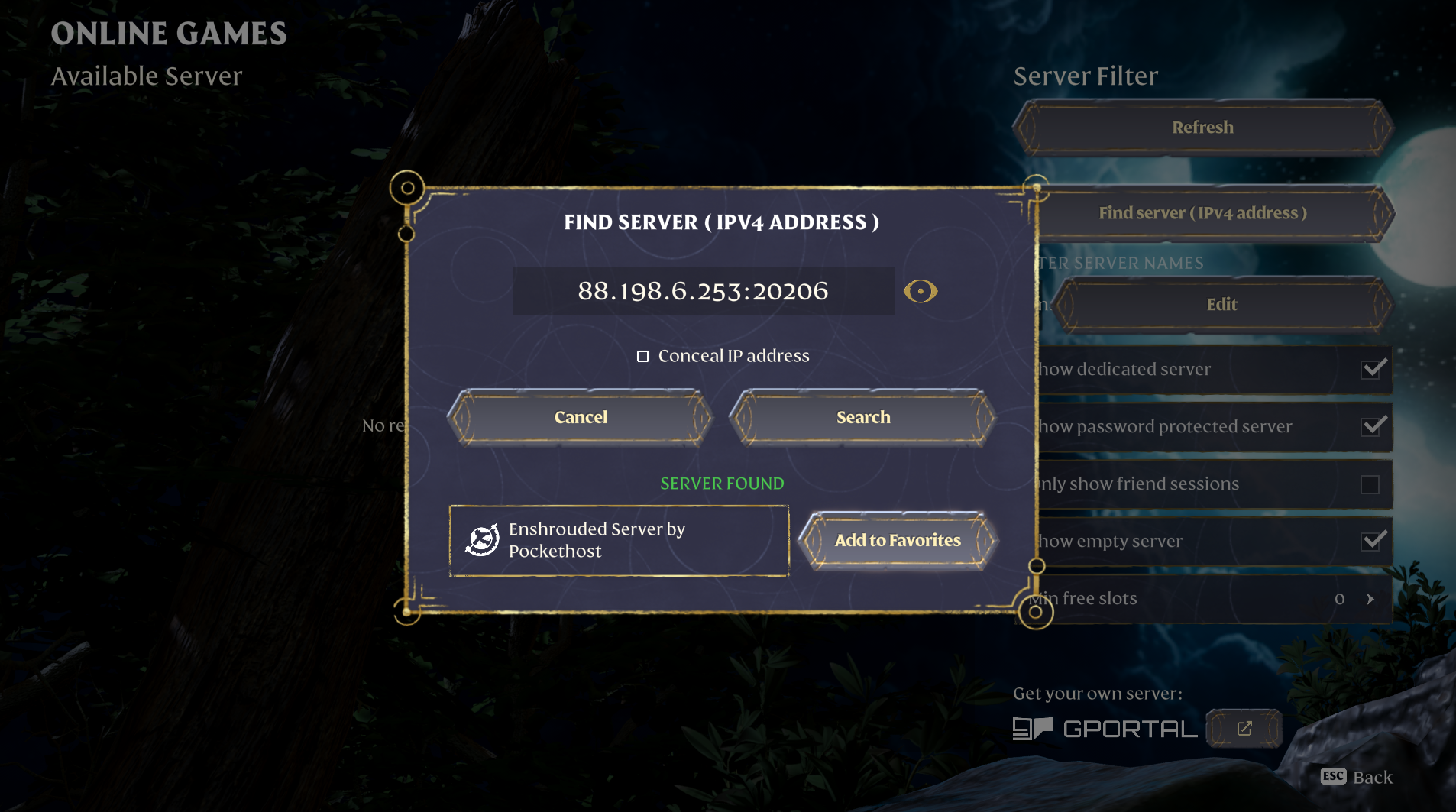
In the Join menu, click on Find Server (IPv4 Address).
5. Enter Your Server Details
Enter the IP address and Query Port that you copied earlier.
Click Search.
6. Add the Server to Your Favorites
Once your server appears in the search results, add it to your Favorites for quick access.
7. Manage Server Passwords (Optional)
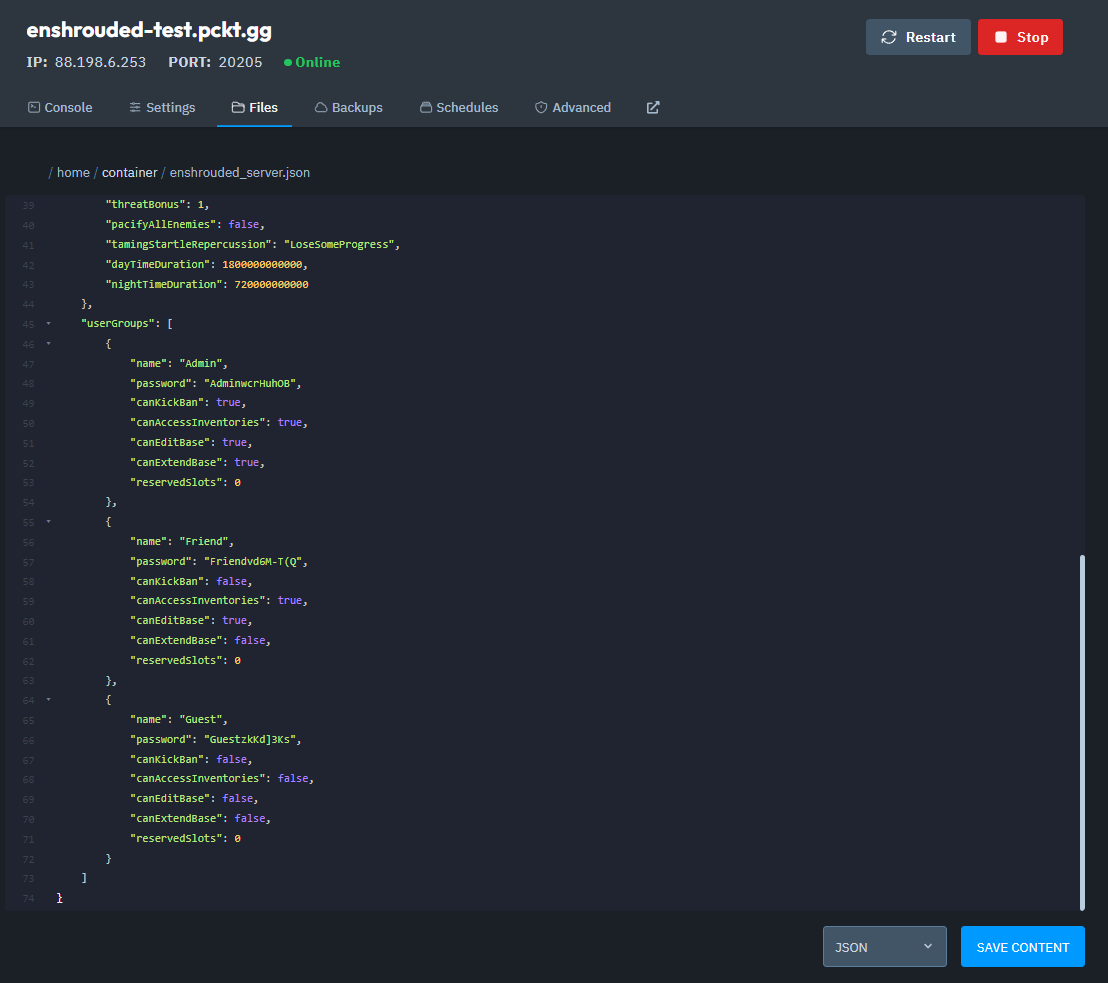
By default, your server will be password-protected.
Depending on the permissions setup, players may need different passwords to connect.
To edit or remove the passwords, open the enshrouded_server.json file, which is located in your server's Files tab.
Make your changes in the enshrouded_server.json file.
Save the file.
Restart the server to apply the changes.
8. Connect to the Server
Use the password to connect to your server.
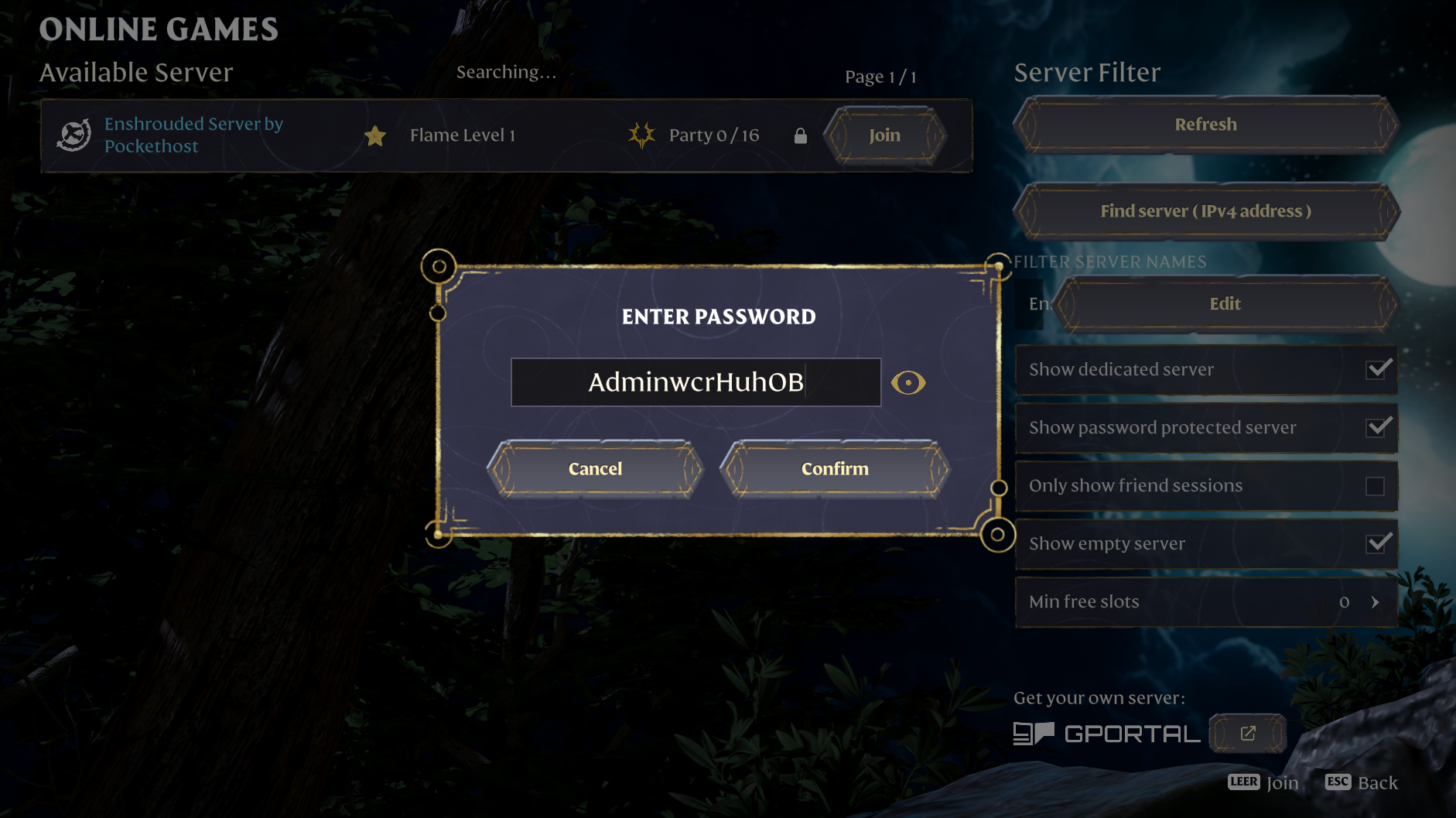
And that's how you connect to your Enshrouded server!