
Method 1: Connect via Server Name
Step 1: Copy Your Server Name
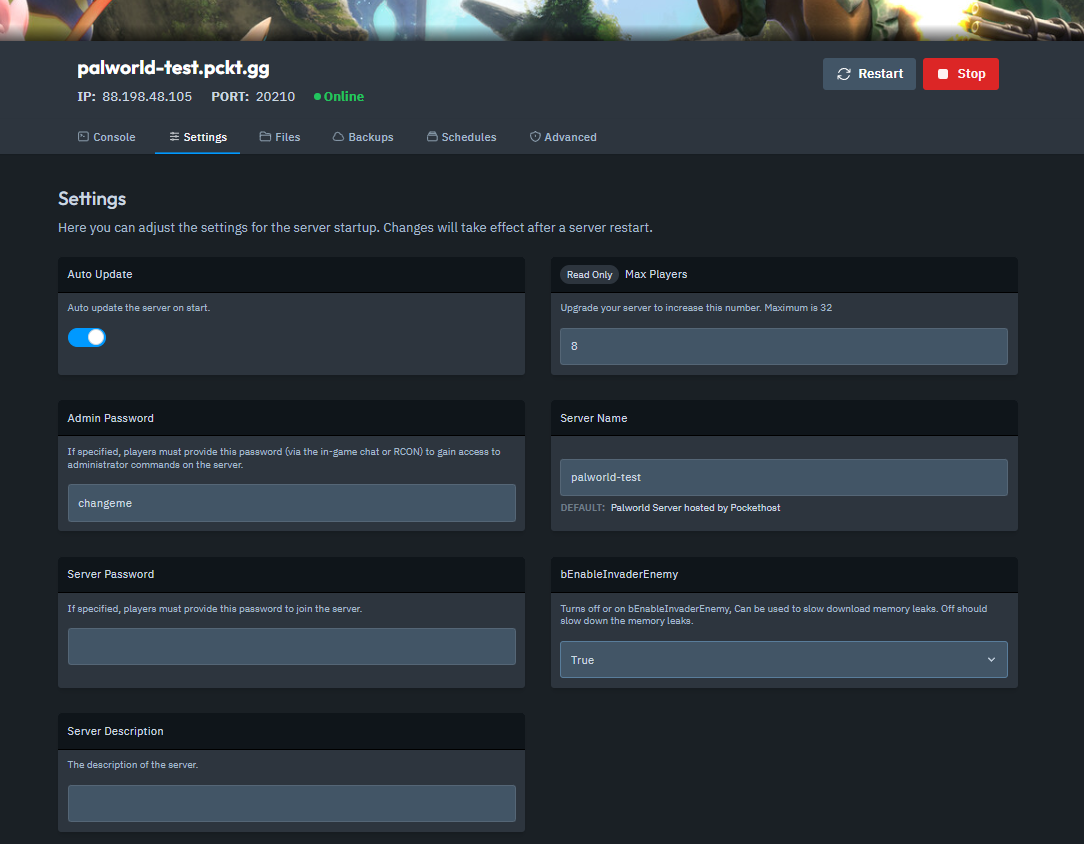
Open your Server Dashboard.
Navigate to the Settings tab.
Copy your Server Name.
Step 2: Launch Palworld and Access the Multiplayer Menu
Start Palworld.
Go to Join Multiplayer Game.
Click on the Community Server tab.
Step 3: Search for Your Server
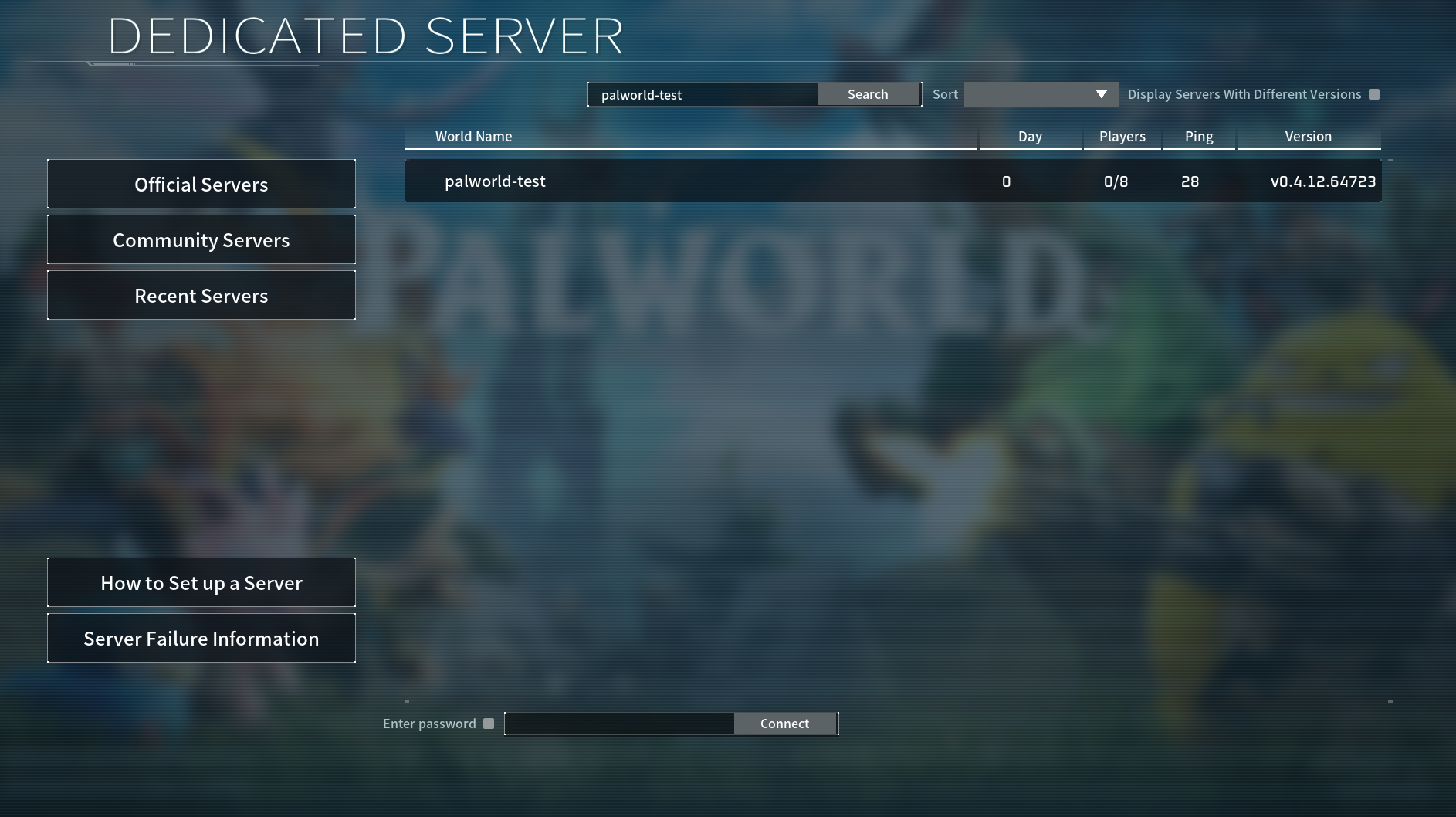
Enter your Server Name in the search bar.
Your server should appear in the list.
Click on it to connect.
Method 2: Connect via IP and Port
Step 1: Copy Your Server's IP and Port
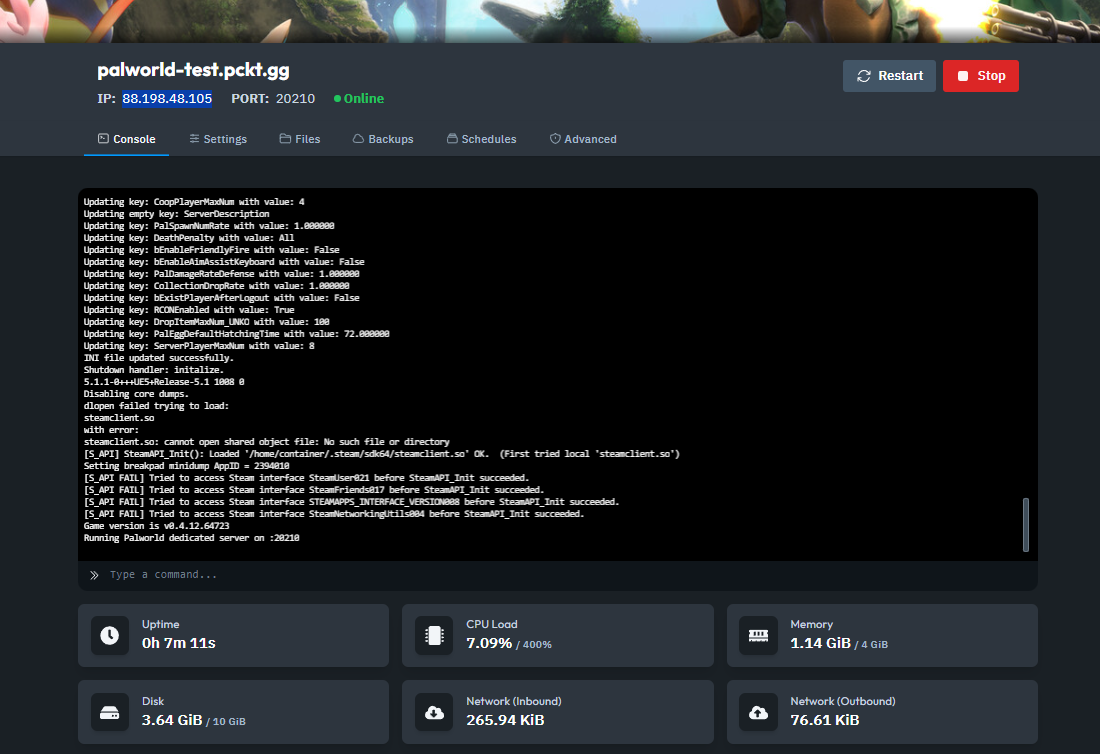
Open your Server Dashboard.
Copy your IP address and Port number.
Step 2: Launch Palworld and Access the Multiplayer Menu
Start Palworld.
Go to Join Multiplayer Game.
Click on the Community Server tab.
Step 3: Enter Your IP and Port
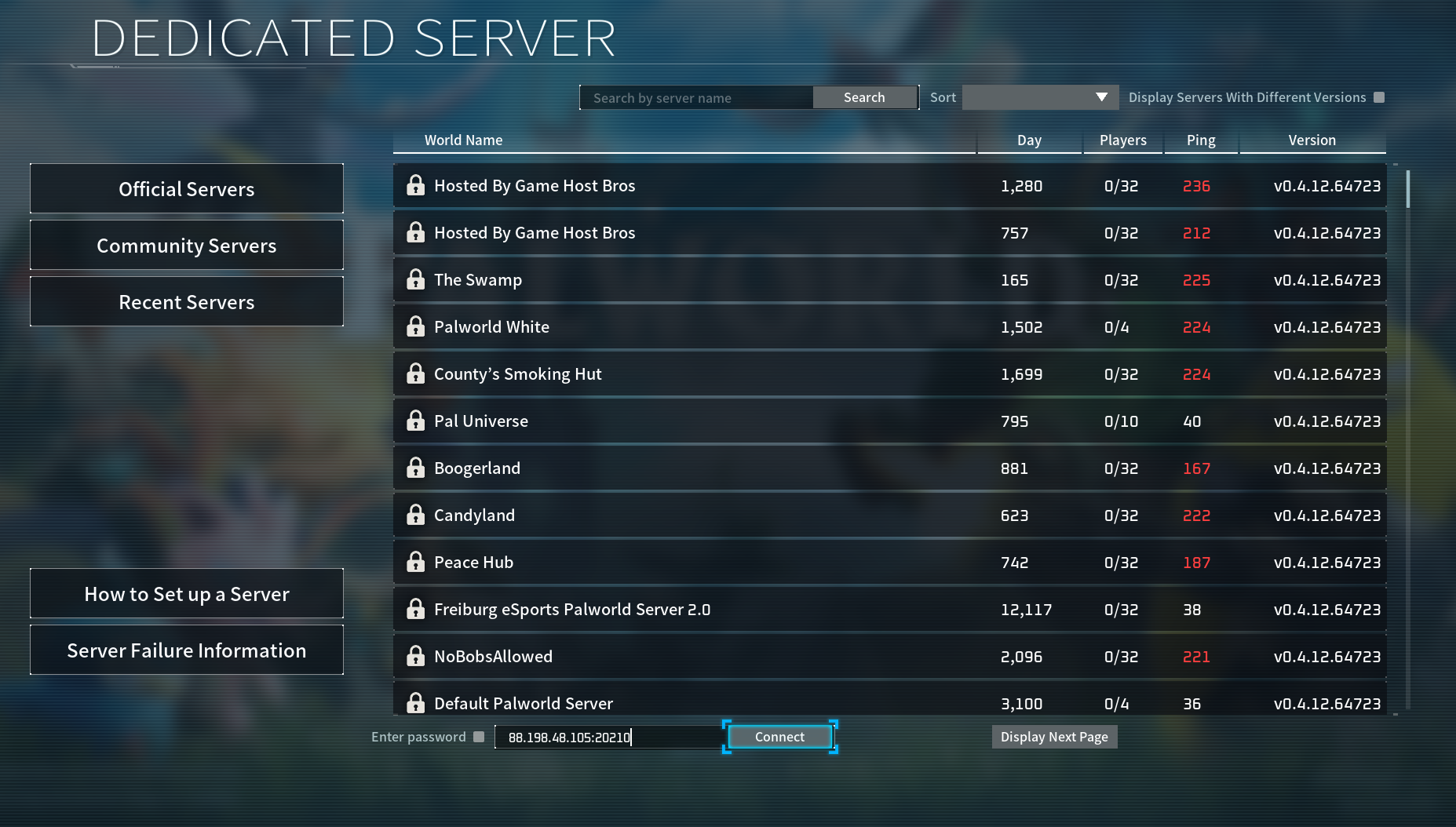
Scroll to the bottom of the Community Server tab.
Enter your IP address and Port number in the fields provided.
Click Connect.
Troubleshooting Tips
If your server doesn’t show up:
Ensure your server is updated to the latest version.
Check that your game client is also on the correct version.
And that's how you connect to your Palworld server!