
How to Ban a Player in V Rising for Playstation
Access the Logs Folder:
Navigate to your server's logs folder.
Locate the VRisingServer Log:
Open the VRisingServer log file.
Find the Player's EOS ID:
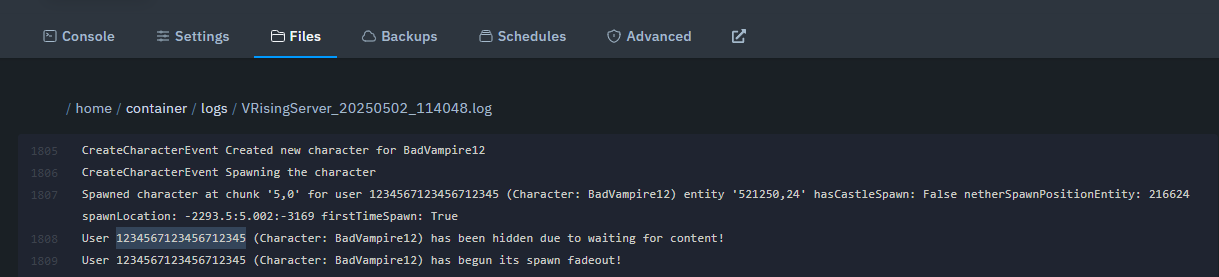
Search for the player's name in the log. You'll see something like this:
Look for the EOS ID, which is a unique identifier for the player (e.g.,
1234567123456712345).
Add the EOS ID to Banlist:
Once you have the EOS ID, go to the save-data/Settings folder and open the banlist.txt file.
Add the EOS ID to the file. Ensure to only add one ID per line.

Save and Restart:
After adding the EOS ID, save the banlist.txt file and restart the server to apply the ban.